When visiting your site's homepage, you'll notice "/default.asp" at the end of the URL. You'll also be redirected to this URL when entering your store's primary domain name in your browser's URL bar.
The /default.asp suffix is necessary for displaying your various homepage elements correctly. Using canonical tags (enabled by default) prevents SEO value from being divided between www.yourvolusionstore.com and www.yourvolusionstore.com/default.asp, which means that both pages get more SEO juice!
You can technically use JavaScript to remove the /default.asp, but this could mess with your SEO, so we highly advise against it.
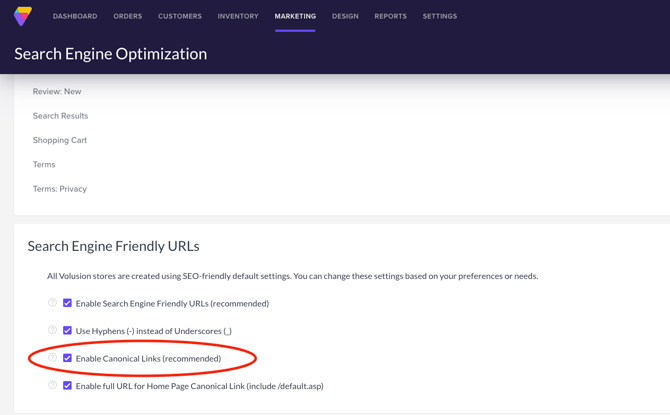
Canonical LinksTo ensure that your /default.asp URL is getting the best SEO value, it's a good idea to verify that your store is using canonical tags. You can do this by heading over to Marketing > SEO and locating the Search Engine Friendly URLs section.
Confirm that the Enable Canonical Links (recommended) check box is selected, and you're good to go!