
The Volusion admin dashboard gives you a quick, at-a-glance view of your store’s performance.
You’ll find key charts for GMV (Gross Merchandise Volume), Orders, Top 10 Products, and Top 10 Categories, along with Trend Reports tracking- Revenue, Order Volume, and Average Order Value.
In addition to performance insights, the dashboard provides helpful “Getting Started” steps and quick links to valuable resources, making it easy to navigate your store, take action, and continue growing your ecommerce business—all from one convenient location.
Review the reports below or login at (your domain)/admin to see these features in real time!
GMV Report Abilities: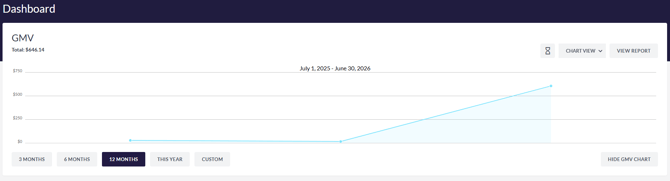
-
Tabs for specific timeframes including "3 MONTHS, 6 MONTHS, 12 MONTHS, THIS YEAR and CUSTOM"
-
Top right: ability to view Historic, Chart view or Table view, and View Report
-
Bottom right: Hide GMV CHART
Orders Report Abilities:
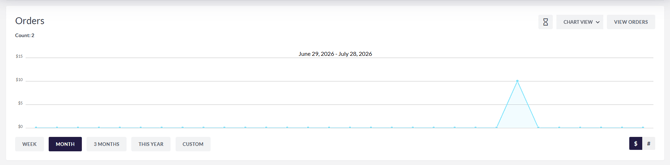
-
Tabs for specific timeframes including "WEEK, MONTH, 3 MONTHS, THIS YEAR and CUSTOM"
-
Top right: ability to view Historic, Chart view or Table view, and View Orders
-
Bottom right: Show Dollar Amount or Show Order Total Count
Top 10 Products | Top 10 Categories Abilities: 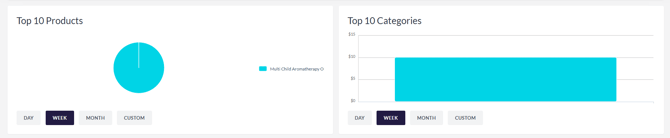
-
Top 10 Products - Filter by DAY, WEEK, MONTH, CUSTOM
- Top 10 Categories - Filter by DAY, WEEK, MONTH, CUSTOM
Trends Reports: Revenue | Orders | Avg. Order Value
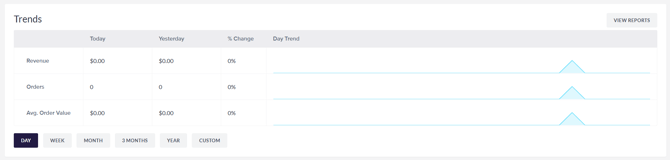
-
Each chart has the capabilities to filter by DAY, WEEK, MONTH, 3 MONTHS, YEAR, and CUSTOM.
-
The charts display results for Today, Yesterday, % Change, and Day Trend
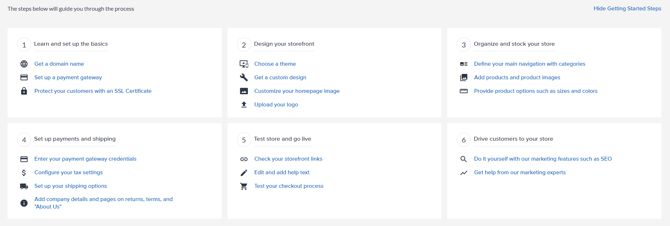
Getting Started Steps:
-
Learn and Set up the Basics
-
Design your Storefront
- Organize and stock your store
-
Set up payments and shipping
-
Test store and go live
- Drive customers to your store
Helpful Resources:

- To Do List
- Support Resources
- Ecommerce Blog