---
title: "Take it Easy: Using Volusion's Easy Editor"
description: Volusion's nifty Easy Editor lets you create HTML content to edit your storefront, product descriptions, homepage and more!
---
[Skip to content](https://help.volusion.com/s/takeiteasyusingvolusionseasyeditor#main-content)
English - United States
Show submenu for translations

Open main navigation
Close main navigation
- English - United States
Show submenu for translations
- [Contact Us](https://volusion.com/contact)
[Contact Us](https://volusion.com/contact)
Search the Help Center
- There are no suggestions because the search field is empty.
1. [Volusion Help Center](https://help.volusion.com/s?hsLang=en-us)
2. [V1](https://help.volusion.com/s/v1?hsLang=en-us)
# Take it Easy: Using Volusion's Easy Editor
Volusion's nifty Easy Editor lets you create HTML content to edit your storefront, product descriptions, homepage and more! This article will teach you how to make the most of your editor, to keep your store looking amazing.
If you're looking to upgrade your site's design, consider utilizing our site builder, [Site Designer](https://www.volusion.com/features/site-designer/), for a block-based approach to building your website.
## Admin Area Editing
Most fields that accept HTML in your Admin Area come equipped with the Easy Editor tool. These fields include product and category descriptions, article bodies, and newsletter bodies.
Wherever an editable HTML field exists, you can use the Easy Editor's tool bar to format text, add links, and insert images.
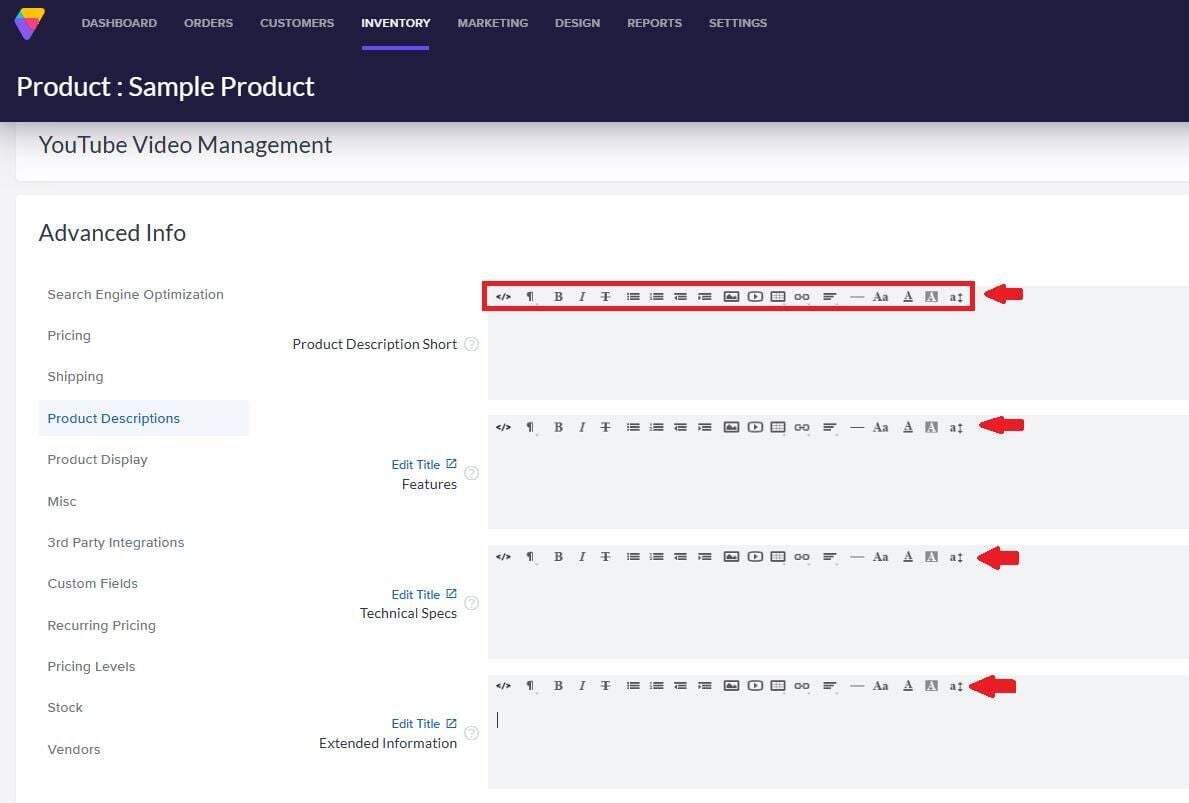
Easy, right? Read on to learn even more!
## Storefront Editing Tools
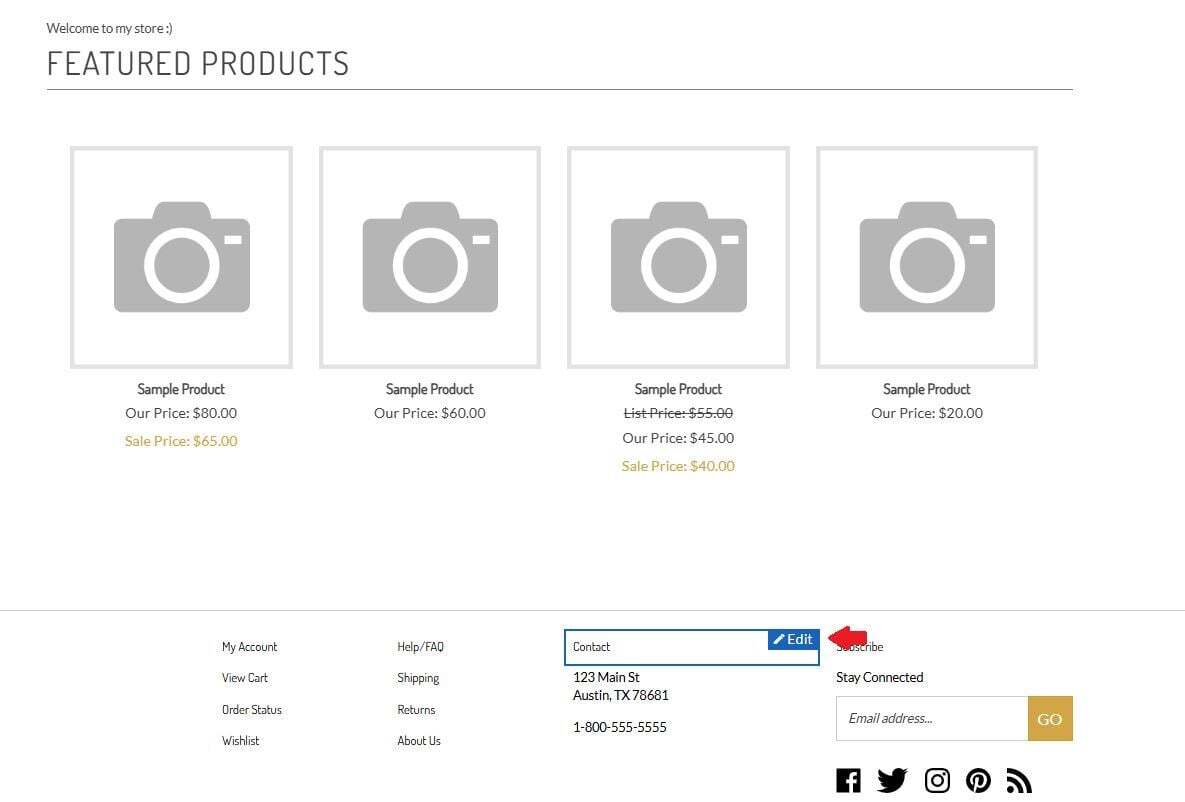
You can modify content directly from your storefront by hovering over any editable area. Once you see the area outlined in blue, click **Edit**. You'll know that you're ready to go once you see the blue dotted line appear around the content area!
### Image Swapping
You can use Easy Editor to update images and graphics throughout the storefront. Note: images inserted into the **Image Swap** dialog box must be in a .gif format!
### Page Text Editing
You can easily edit more text on your site by hovering over content and clicking **Edit***.* This will open a dashed line area where you can type in replacement text!
Click the check mark icon to save your changes, or click the "x" icon to cancel the changes if you change your mind!
### Header / Footer Region Editing
On certain templates, you can make edits to your header and footer directly from the storefront. To edit, hover over these areas and click so **Edit**. Once you see the dotted blue border, you can edit the text. When you're finished, click the check mark icon to save your changes!
## Site Designer
Looking to upgrade your site's design?Site Designer, Volusions simple-to-master store building feature, allows you to create, maintain, and adjust online storefronts with ease.Site Designers block-based architecture allows you to customize your store by selecting from our regularly-updated gallery of blocks. [Click here to learn more.](https://www.volusion.com/features/site-designer/)
- [Getting started](https://help.volusion.com/s/getting-started?hsLang=en-us)
- [Manage Your Store](https://help.volusion.com/s/manage-your-store?hsLang=en-us)
- [Marketing for Success](https://help.volusion.com/s/marketing-for-success?hsLang=en-us)
- [Volusion Payment Powered by Stripe](https://help.volusion.com/s/volusion-payment-powered-by-stripe?hsLang=en-us)
- [Partner Marketplace](https://help.volusion.com/s/partner-marketplace?hsLang=en-us)
- [Support](https://help.volusion.com/s/support?hsLang=en-us)
- [V1](https://help.volusion.com/s/v1?hsLang=en-us)
- [Security](https://help.volusion.com/s/security?hsLang=en-us)
[](https://volusion.com/)
[mailto:email@email.com](mailto:email@email.com)
Copyright © 2026, Volusion