---
title: Removing the Add to Cart Button From a Product Page
description: You may have a need to keep customers from purchasing a product while still displaying it. Removing the Add to Cart button can do this.
---
[Skip to content](https://help.volusion.com/s/removingtheaddtocartbuttonfromaproductpage#main-content)
English - United States
Show submenu for translations

Open main navigation
Close main navigation
- English - United States
Show submenu for translations
- [Contact Us](https://volusion.com/contact)
[Contact Us](https://volusion.com/contact)
Search the Help Center
- There are no suggestions because the search field is empty.
1. [Volusion Help Center](https://help.volusion.com/s?hsLang=en-us)
2. [V1](https://help.volusion.com/s/v1?hsLang=en-us)
# Removing the Add to Cart Button From a Product Page
You may have a need to keep customers from purchasing a product while still displaying it. Removing the Add to Cart button can do this.
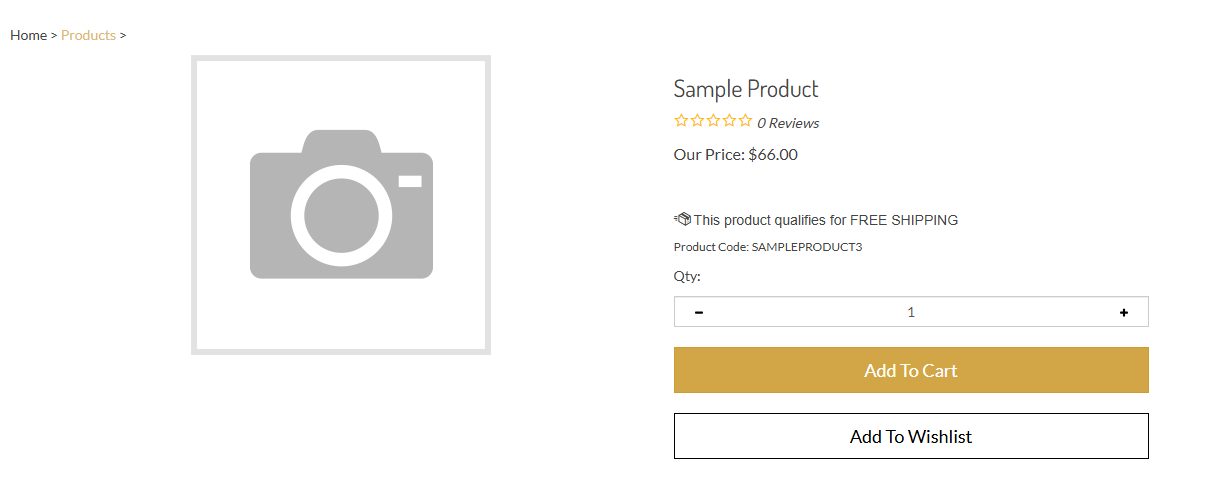
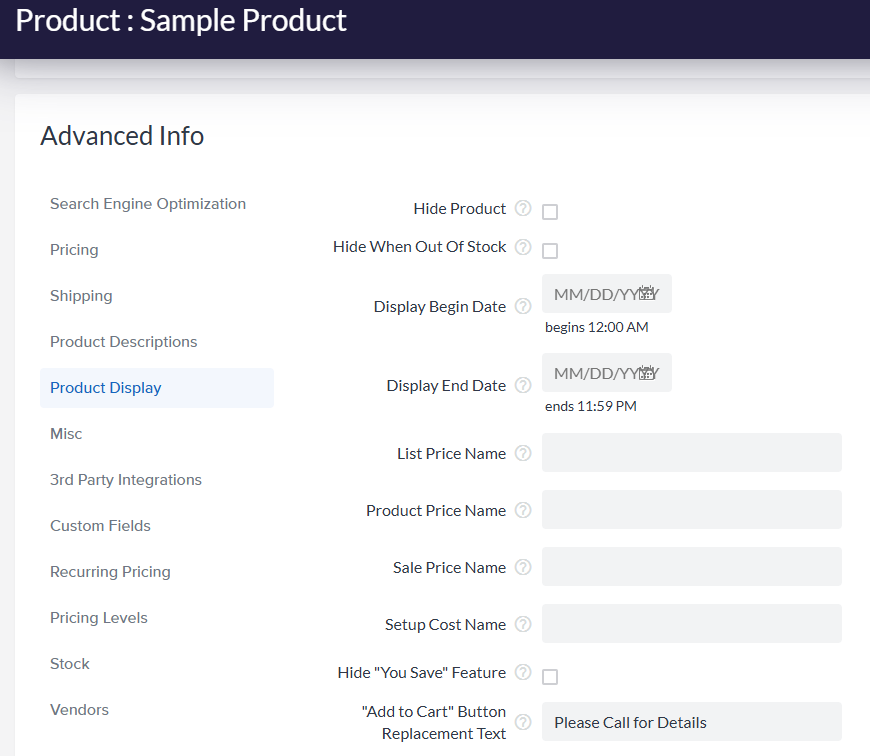
To remove the **Add to Cart** button from a product page, you must replace it with text of your choice. On the product edit page, locate the **Advanced Info** section, select the **Product Display** tab, and enter the text of your choice in the **"Add to Cart" Button Replacement Text** field:
- [Getting started](https://help.volusion.com/s/getting-started?hsLang=en-us)
- [Manage Your Store](https://help.volusion.com/s/manage-your-store?hsLang=en-us)
- [Marketing for Success](https://help.volusion.com/s/marketing-for-success?hsLang=en-us)
- [Volusion Payment Powered by Stripe](https://help.volusion.com/s/volusion-payment-powered-by-stripe?hsLang=en-us)
- [Partner Marketplace](https://help.volusion.com/s/partner-marketplace?hsLang=en-us)
- [Support](https://help.volusion.com/s/support?hsLang=en-us)
- [V1](https://help.volusion.com/s/v1?hsLang=en-us)
- [Security](https://help.volusion.com/s/security?hsLang=en-us)
[](https://volusion.com/)
[mailto:email@email.com](mailto:email@email.com)
Copyright © 2026, Volusion