---
title: Meet MyVolusion
description: Get familiar with the tool you use to manage your business relationship with Volusion.
---
[Skip to content](https://help.volusion.com/s/meetmyvolusion#main-content)
English - United States
Show submenu for translations

Open main navigation
Close main navigation
- English - United States
Show submenu for translations
- [Contact Us](https://volusion.com/contact)
[Contact Us](https://volusion.com/contact)
Search the Help Center
- There are no suggestions because the search field is empty.
1. [Volusion Help Center](https://help.volusion.com/s?hsLang=en-us)
2. [V1](https://help.volusion.com/s/v1?hsLang=en-us)
# Meet MyVolusion
As a Volusion store owner, you have access to a full-featured account management and information system at my.volusion.com. You can view and create messages for Volusion support, view your monthly billing activity, manage your account information, and much more.
### What can I use MyVolusion for?
Think of your MyVolusion account as the place where you manage your business relationship with us. Inside, you can:
- Access the Volusion support site
- View your monthly account usage history
- Upgrade add-on features such as mailboxes, fraud score, and newsletters (if applicable for your plan)
- Create and manage [Volusion-hosted email accounts](https://help.volusion.com/s/Volusion-hostedEmail?hsLang=en-us) and [FTP](https://help.volusion.com/s/UsingYourVolusionFTPSFTPAccount?hsLang=en-us) account logins
- Manage your DNS records
- View your billing and order histories
- Add a payment method for monthly billing
- Manage your contact information
- Establish and edit your secret question/answer
### How do I log into MyVolusion?
You can log into MyVolusion by going to [my.volusion.com](https://my.volusion.com/).
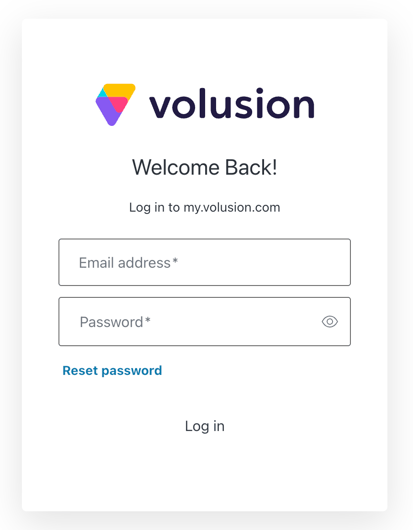
Your **email / password combination** for MyVolusion is the one you chose on our website when you set up a Volusion customer account to register for your 14-day free trial and/or purchase your monthly hosting plan.
Keep in mind that your MyVolusion login is different from your Admin login thats used to manage your store from the Admin Area.
### What if I've forgotten my login?
As a store owner, you've probably got a lot of your mind. If you forget your login, heres how to retrieve it:
1. From the [MyVolusion login page](http://my.volusion.com) , click the " Reset password "link
2. Enter the **email address** you used to set up your Volusion account and click **Submit**
3. Verify the **CAPTCHA** characters displayed and click **Submit**
4. You'll receive an **email from [sales@volusion.com](mailto:sale@volusion.com)** with a **link to reset your password**
5. Click the link and **enter your new password twice**
6. Once you've created a new password, return to my.volusion.com and enter your email address and the new password to log in
### My Account
In this section, you can manage the most vital aspects of your business relationship with us: contact information, hosting plan details, payment method, authorized users, and much more. Read on for details.
### Account Info
In this section, you can do the following:
- Edit the secret question we use to verify your identity when you contact us.
- See your unique Volusion customer ID number.
- Edit your contact information, including the account holder and physical address.
These details have crucial implications for your ability to get help when you need it and maintain the security and privacy of your entire account. They're separate from the credentials you use to log in to your store(s). For more information about the differences, see "[Admin Area Password](https://help.volusion.com/s/AdminAreaPassword?hsLang=en-us) "
### Billing History
In this section you can see a list of all charge activity for your payment method. Click the **InvoiceID** value to see an invoice, and the **OrderID** value for the related order's original purchase invoice. The section displays three months of activity at a time. Use the **Prev** and **Next** buttons to scroll through your history.
Your invoices contain all plan and usage details that contributed to your monthly fee, itemized and calculated.
### Plans / Orders
In this section you'll find your current billing cycle and all elements of your monthly plan and their associated fees. You can make numerous changes:
- Add extra email accounts.
- Increase your newsletter email limit.
- Add or upgrade Fraud Score.
Use the **Next** and **Prev** buttons to view details for past and future billing cycles.
If you have more than one hosting plan, use the **Choose Order** menu at the top to switch between them.
### Manage Users
If you're the primary owner of a store, you may have a staff of designers, managers, developers or other people working with you who will need to contact Volusion for support or manage aspects of your account. You can add them and set their permissions in this section.
To add a user, first select the relevant hosting plan from the **Choose a Domain** menu. Then click **Add New User**. Fill out the **First Name**, **Last Name**, and **Email Address** fields and click **Save**. Note that new users have permission to manage all aspects of your account by default. If you only want a user to have permission to certain aspects of your account, deselect the relevant items before saving.
When you create a user, they'll receive an invitation at the email address you specified. The email provides instructions on how to accept the invitation. If the user doesn't already have an account with us, we'll prompt them to establish a password and secret question for identity verification.
You can edit any user you've created from the main page by selecting it from the **Users** list, selecting or deselecting items of your choice, and saving. You can also delete a user at any time. Note that if you want a user to have rights to more than one hosting plan, you must create that user for each hosting plan separately.
### My Support
The My Support section gives you access to Volusion support information including:
- Knowledge Base- Link to our Helpcenter
- System Status- Link to [Volusion's Status Page](https://status.volusion.com/)
### My Stores
In this section, you can manage a number of aspects of your store that don't have a home in the Admin Area.
### Manage/View Stores
This section provides simple shortcuts to your store Admin Areas.
### Manage FTP
For more information, see "[How to Set Up Your Volusion FTP (SFTP) Account](https://help.volusion.com/s/HowtoSetUpYourVolusionFTPSFTPAccount?hsLang=en-us) " and "[How to Use Your Volusion FTP (SFTP) Account](https://help.volusion.com/s/UsingYourVolusionFTPSFTPAccount?hsLang=en-us) ".
### Manage Email
For more information, see "[Setting Up Your Volusion Email](https://help.volusion.com/s/Volusion-hostedEmail?hsLang=en-us) ".
### Domain Name Change
Links to a section of My Volusion where merchants can request to change their Domain Name.
### Manage DNS
For more information, see "[DNS (Domain Name System) Settings](https://help.volusion.com/s/DNSDomainNameSystemSettings?hsLang=en-us) ".
### My Services
This section has links to various services offered for merchants by Volusion.
- [Getting started](https://help.volusion.com/s/getting-started?hsLang=en-us)
- [Manage Your Store](https://help.volusion.com/s/manage-your-store?hsLang=en-us)
- [Marketing for Success](https://help.volusion.com/s/marketing-for-success?hsLang=en-us)
- [Volusion Payment Powered by Stripe](https://help.volusion.com/s/volusion-payment-powered-by-stripe?hsLang=en-us)
- [Partner Marketplace](https://help.volusion.com/s/partner-marketplace?hsLang=en-us)
- [Support](https://help.volusion.com/s/support?hsLang=en-us)
- [V1](https://help.volusion.com/s/v1?hsLang=en-us)
- [Security](https://help.volusion.com/s/security?hsLang=en-us)
[](https://volusion.com/)
[mailto:email@email.com](mailto:email@email.com)
Copyright © 2026, Volusion