---
title: How to Increase the Font Size of Your Invoices
description: To make invoices easier to read (and pay!), you can enlarge the font size of the text up to 20 pixels high.
---
[Skip to content](https://help.volusion.com/s/howtoincreasethefontsizeofyourinvoices#main-content)
English - United States
Show submenu for translations

Open main navigation
Close main navigation
- English - United States
Show submenu for translations
- [Contact Us](https://volusion.com/contact)
[Contact Us](https://volusion.com/contact)
Search the Help Center
- There are no suggestions because the search field is empty.
1. [Volusion Help Center](https://help.volusion.com/s?hsLang=en-us)
2. [V1](https://help.volusion.com/s/v1?hsLang=en-us)
# How to Increase the Font Size of Your Invoices
To make invoices easier to read (and pay!), you can enlarge the font size of the text up to 20 pixels high.
**Good to Know:**
- Before you start supersizing the text on your invoices, youll want to have a solid understanding of CSS coding
- If you change the font size on one invoice, it will affect **all of your invoices**
Your store has a special website text article that can be used to modify invoices:
From your store's Admin Dashboard, go to **Design** \> **Site Content**.
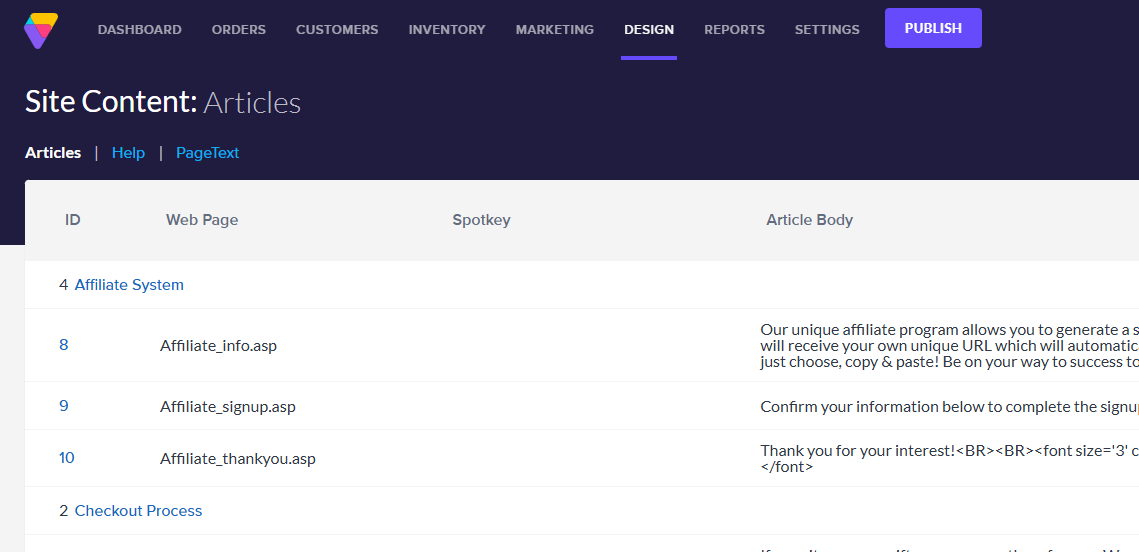
Click **Search** at the top right of the Site Content: Articles Page.

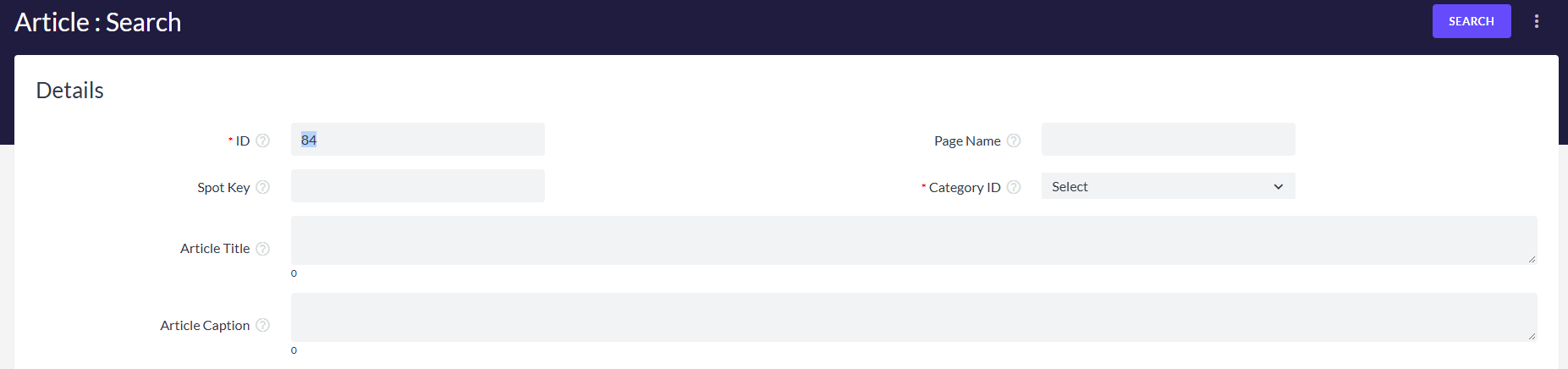
In the ID field, enter **"84"** and click the blue **Search** button at the top right of the page.
Open article ID84 (Receipt.asp) and above the **Article Body**, in the Easy Editor toolbar, click the **HTML** button.
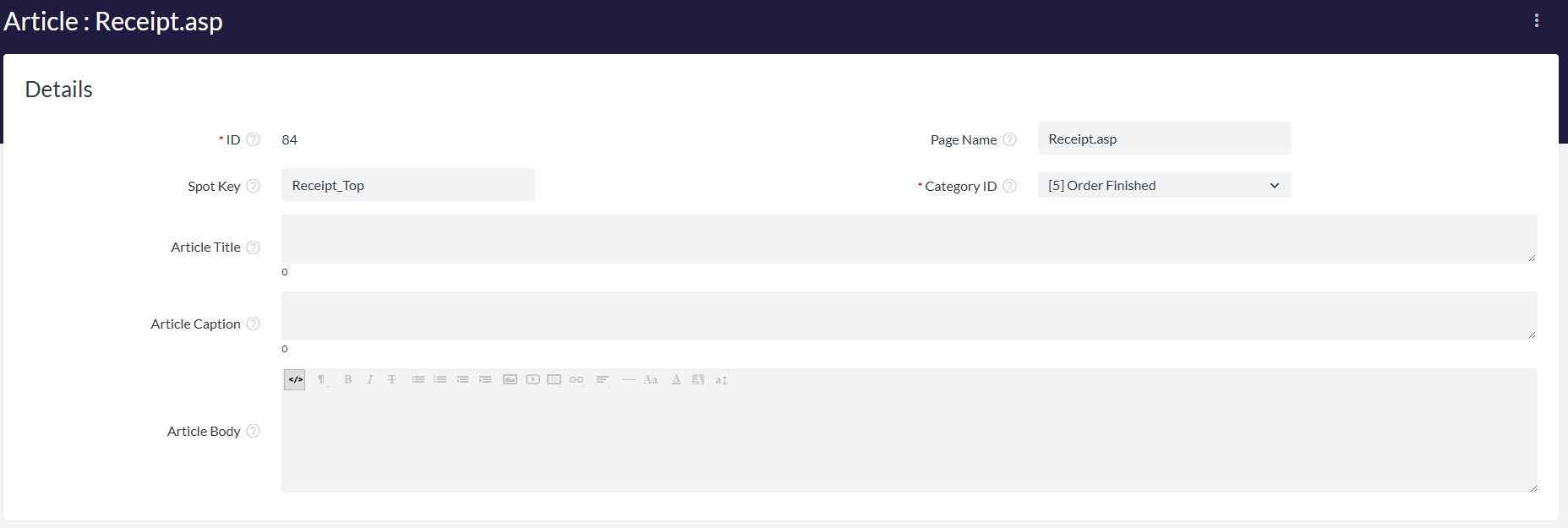
Enter your CSS markup in the **Article Body** field. This will override the default CSS values of your store's invoices. For example, you could enter this CSS code to change the font used in your store invoices to be 20 pixels high:
```
```
When you're finished, click the blue **Save button** at the top right of the page.
Note that any styling elements entered into article ID 84 will modify *all* invoices for your store.
- [Getting started](https://help.volusion.com/s/getting-started?hsLang=en-us)
- [Manage Your Store](https://help.volusion.com/s/manage-your-store?hsLang=en-us)
- [Marketing for Success](https://help.volusion.com/s/marketing-for-success?hsLang=en-us)
- [Volusion Payment Powered by Stripe](https://help.volusion.com/s/volusion-payment-powered-by-stripe?hsLang=en-us)
- [Partner Marketplace](https://help.volusion.com/s/partner-marketplace?hsLang=en-us)
- [Support](https://help.volusion.com/s/support?hsLang=en-us)
- [V1](https://help.volusion.com/s/v1?hsLang=en-us)
- [Security](https://help.volusion.com/s/security?hsLang=en-us)
[](https://volusion.com/)
[mailto:email@email.com](mailto:email@email.com)
Copyright © 2026, Volusion