---
title: Displaying Foreign Language Characters in Meta Tags
description: Attract shoppers from around the world to your store by displaying foreign language characters in your meta tags.
---
[Skip to content](https://help.volusion.com/s/displayingforeignlanguagecharactersinmetatags#main-content)
English - United States
Show submenu for translations

Open main navigation
Close main navigation
- English - United States
Show submenu for translations
- [Contact Us](https://volusion.com/contact)
[Contact Us](https://volusion.com/contact)
Search the Help Center
- There are no suggestions because the search field is empty.
1. [Volusion Help Center](https://help.volusion.com/s?hsLang=en-us)
2. [V1](https://help.volusion.com/s/v1?hsLang=en-us)
# Displaying Foreign Language Characters in Meta Tags
Attract shoppers from around the world to your store by displaying foreign language characters in your meta tags.
It's probably safe to assume that most visitors to your online store speak a common language used by the audience you are targeting. Still, in a global ecommerce world, you want to make people of all nationalities and ethnicities feel welcome to shop your store.
So whether you're an English-speaking merchant trying to target non-native shoppers, or a foreign language-speaking merchant targeting your own market, you may need to display foreign language characters in your meta tags. These will tell search engines about your site's content and make it easier for shoppers to find your store.
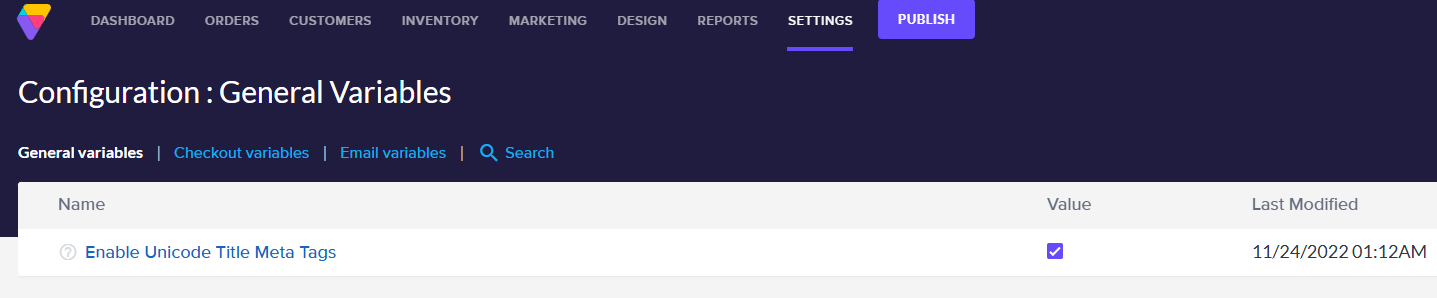
To do this you'll need to enable the **Unicode Title Meta Tags** variable, as follows:
From your store's Admin Dashboard, go to **Settings** \> **Config Variables**.
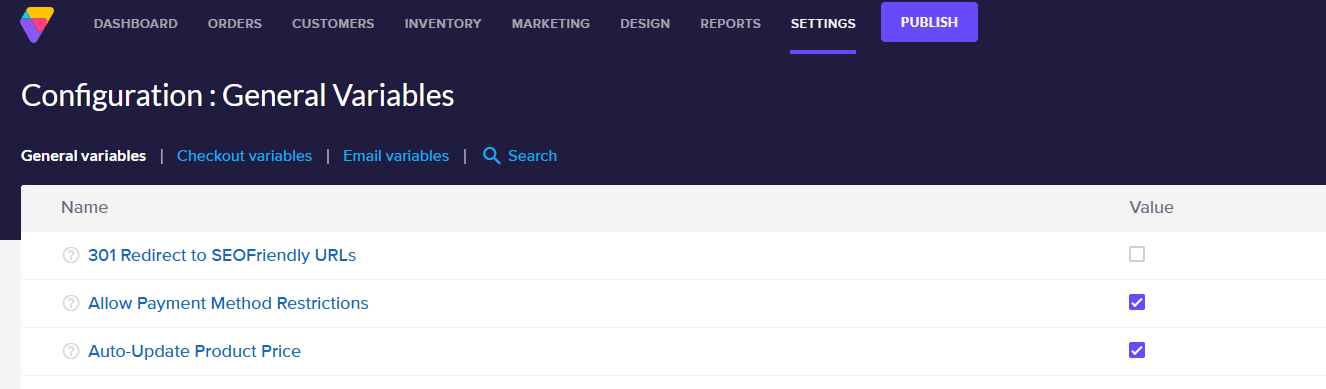
Find and select **Enable Unicode Title Meta Tags.**
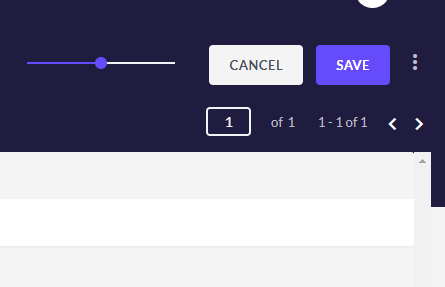
Click the **Save** button at the top right of the page.
**Summary**
Keep your online store inclusive to everyone, everywhere with this simple setup that enables foreign language characters to display in your meta tags.
- [Getting started](https://help.volusion.com/s/getting-started?hsLang=en-us)
- [Manage Your Store](https://help.volusion.com/s/manage-your-store?hsLang=en-us)
- [Marketing for Success](https://help.volusion.com/s/marketing-for-success?hsLang=en-us)
- [Volusion Payment Powered by Stripe](https://help.volusion.com/s/volusion-payment-powered-by-stripe?hsLang=en-us)
- [Partner Marketplace](https://help.volusion.com/s/partner-marketplace?hsLang=en-us)
- [Support](https://help.volusion.com/s/support?hsLang=en-us)
- [V1](https://help.volusion.com/s/v1?hsLang=en-us)
- [Security](https://help.volusion.com/s/security?hsLang=en-us)
[](https://volusion.com/)
[mailto:email@email.com](mailto:email@email.com)
Copyright © 2026, Volusion