Customer Password Management
When your customers forget their passwords, you can easily help them get back into their accounts and back to shopping.
With most everything done online these days, shoppers have dozens of passwords to keep track of. It can be hard to remember all of those funny combinations of words and numbers. So when their memory fails them, what's a shopper (and store owner) to do? Either of the two simple solutions below will help your customers access their accounts and get back to shopping again.
The Login and Forgotten Password Flow:
If a customer forgets their password they can easily reset it by going to the default login page that every Volusion store has which ends in /login.asp. You can go to your store's login page by going to www.yourdomain.com/login.asp (replace 'yourdomain' with your store's domain).
Here is a basic example of the default look of the Login page.
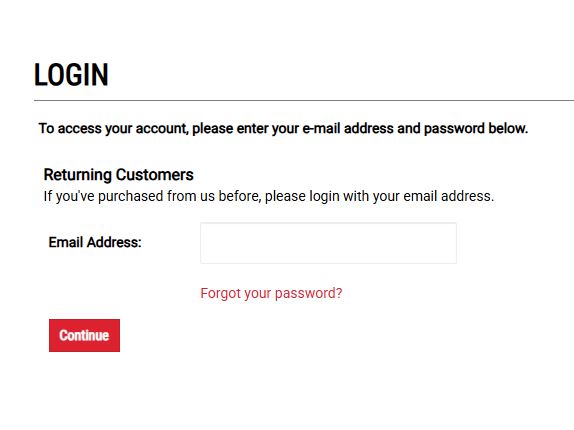
With a couple clicks, the shopper can click "forgot password" and they will receive an email that will allow them to change their password and log into their customer account.
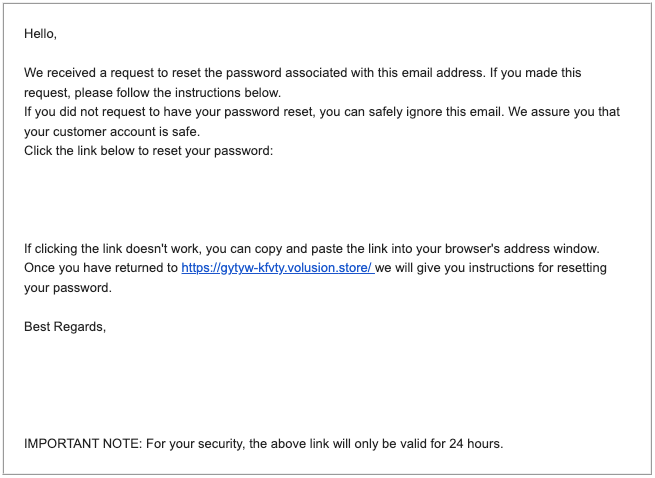
Here is an example of the default Email, this can be customized further in your admin under Design > Email Templates.