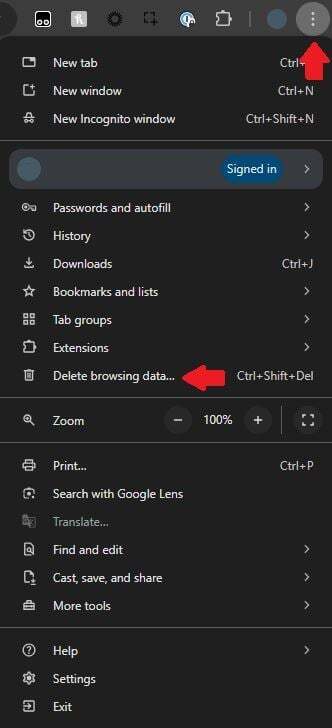
Click the three-dot action button at the top right of the window. Select More Tools, then click Clear Browsing Data.
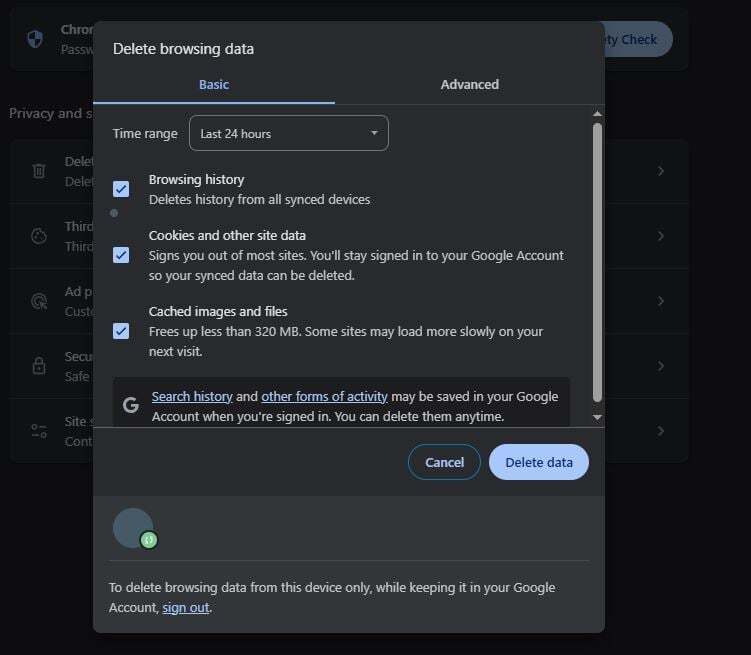
In the pop-up window that appears, choose All time in the Time Range dropdown, check Cached images and files and click Clear data.

Click the three-dot action button at the top right of the window. Select More Tools, then click Clear Browsing Data.
In the pop-up window that appears, choose All time in the Time Range dropdown, check Cached images and files and click Clear data.